
Decoding the commercetools Pricing Model: A Guide to Embedded, Standalone, and External Prices
Key Takeaways
In modern e-commerce, a price is rarely just a single number. Depending on who is shopping, where they are located, and what channel they are using, the price of a single SKU can fluctuate wildly.
Composable Commerce (commercetools) handles this complexity through a highly flexible, multi-layered pricing architecture. Whether you are running B2C flash sales or managing complex B2B tiered contracts, understanding how commercetools stores and selects prices is crucial for a performant storefront.
Here is a breakdown of how the commercetools pricing model works under the hood.
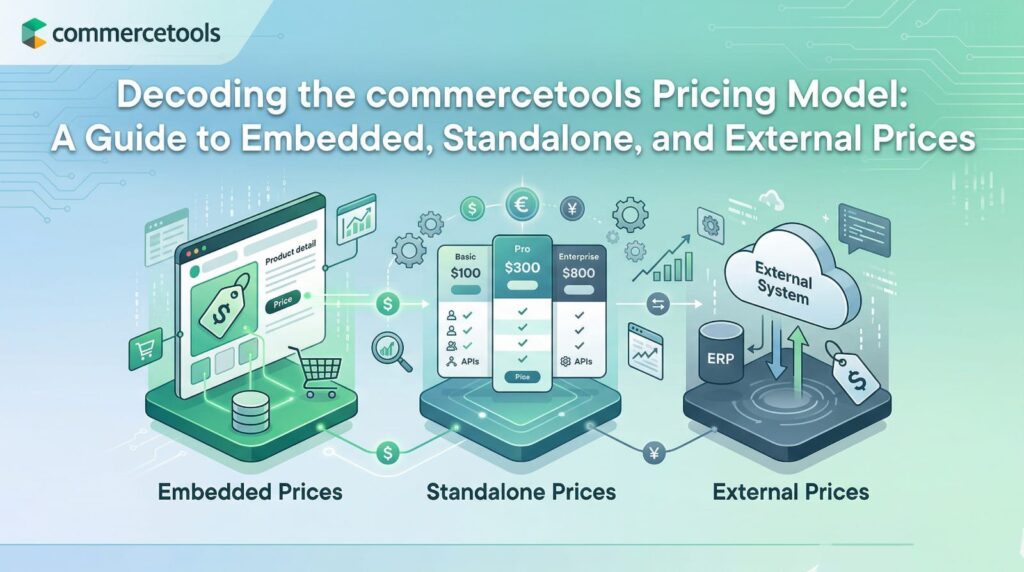
- Storage Models : Composable Commerce offers three distinct ways to store prices depending on performance needs and catalog size: Embedded (stored directly in the product JSON, capped at 100 prices), Standalone (stored separately for better performance, capped at 50,000 prices), and External (managed entirely outside the system, like in an ERP).
- Promotions & Scaling : Discounts exist as a layer on top of base prices, allowing for easy activation/deactivation without altering core data. Tiered pricing handles bulk purchasing per line item.
- Resolution Engine (Price Selection) : The system uses a strict hierarchy to determine what price a customer sees. It prioritizes Customer Group matching first, followed by Channel, and finally Country.
- Search Limitations : A critical technical caveat is that advanced catalog search features (filtering, faceting, sorting by price) only work natively with Embedded Prices.
The Foundation: Price Scopes
In commercetools, a Price represents the purchase value of a Product Variant (SKU). However, what makes a price unique isn’t just the SKU; it’s the price scope.
A scope is a specific combination of:
Currency
(e.g., USD vs. EUR)
Country
(e.g., US vs. Germany)
Customer Group
(e.g., Standard vs. VIP/Platinum)
Channel
(e.g., Web vs. Mobile App vs. In-store)
Only one price can exist for an exact scope. For example, a smartphone might have a base price of €500 in Germany, but a specialized scope could dictate that VIP customers in Germany buying via the mobile app only pay €450.
Choosing Your Storage: Embedded vs. Standalone vs. External
To optimize database performance and scale, commercetools offers three ways to store these prices. Choosing the right one is the most important architectural decision you will make regarding pricing.
1. Embedded Prices (The Default)
- How it works: Prices are stored directly inside the Product Variant’s JSON document.
- Limits: Up to 100 prices per variant.
- Best for: Smaller catalogs, simpler pricing structures, or businesses that rely heavily on native catalog filtering and sorting.
- The Catch: As your price list grows, the JSON document bloats, which can impact performance. Furthermore, updating a price means updating the whole product document.
2. Standalone Prices (The Scalable Choice)
- How it works: Prices are treated as separate, standalone resources in the database and are linked to the Product Variant via the SKU.
- Limits: Up to 50,000 prices per variant.
- Best for: Large B2B catalogs, complex regional pricing, and multi-brand infrastructures.
- The Catch: Because they are separate resources, they cannot be natively used in the Product Projection Search API for filtering, faceting, or sorting products by price.
3. External Prices (The BYO-Price Model)
- How it works: Prices are not stored in commercetools at all. They live in an external system like a PIM, ERP, or a custom microservice.
- Best for: Highly volatile pricing (like live commodity rates or currency fluctuations) or when price limits exceed the 50,000 cap.
- The Catch: Your application code must make live API calls to your external system to fetch the price when a user views a product or adds it to the cart, adding potential latency.
Adding Complexity: Tiers and Discounts
Base prices are just the beginning. The platform allows you to stack additional logic on top of your base scopes:
- Tiered Pricing : Perfect for wholesale. You can set rules where the base price is $5, but if a customer adds 100+ items to their cart, the price dynamically drops to $3 per item.
- Product Discounts : Instead of manually changing the base price for a Black Friday sale, you apply a Product Discount. This acts as a temporary overlay on top of the base price, meaning it can be toggled on or off without migrating any core data. (Note: If a product is actively discounted, tiered
The Brains of the Operation: Fallback Logic
If a product has 50 different prices based on various scopes, how does the API know which one to show the customer?
Composable Commerce uses a strict Fallback Logic hierarchy. It checks for matches in a specific order of priority:
- Customer Group (Highest Priority)
- Channel
- Country (Lowest Priority)
The engine searches for the most exact match first. If it cannot find a price assigned to the user’s specific Customer Group, Channel, AND Country, it begins dropping parameters (falling back to wildcards) to find the next best fit.
If a user happens to belong to multiple eligible Customer Groups that match the current step in the fallback logic, the system will automatically select the cheapest price available to them.
Summary
The commercetools pricing model is designed to bend, not break. By leveraging Standalone Prices for sheer volume, utilizing price scopes for targeted B2B and B2C segments, and relying on native fallback logic to ensure the customer always gets the right price, developers can build incredibly sophisticated e-commerce engines without bogging down storefront performance.