
Hide Price for Magento 2
Controlled Pricing ~ Secure Access ~ B2B Ready

The Hikmadh Hide Price extension allows store owners to restrict product price visibility for guest users and display it only to logged-in customers. This is especially useful for B2B, wholesale, and private stores where pricing needs to be protected and shared only with authorized users.
Instead of showing prices, the extension replaces them with a custom message like “Please Login To See Price,” encouraging users to sign in and engage with your store. It works seamlessly across product pages, category listings, and search results without affecting performance.
✔ Hide prices for guest users
✔ Display custom login message
✔ Works on all product listing pages
✔ Ideal for B2B and wholesale stores
✔ No impact on store performance
The Hikmadh Hide Price extension provides a simple yet powerful way to control product price visibility across your Magento 2 store. By restricting prices to logged-in users, it helps create a more secure and personalized shopping experience, especially for B2B and wholesale businesses. This approach not only protects your pricing strategy but also encourages user registrations and customer engagement. With seamless integration and no impact on performance, the extension ensures your store remains fast, flexible, and conversion-focused while maintaining full control over who can view product pricing.
Key Features
Login-Based Price Visibility: Show product prices only to logged-in users while hiding them for guests to ensure controlled access.
Custom Price Replacement Message: Replace hidden prices with a customizable message like “Please Login To See Price” to guide users.
Works Across All Store Pages: Applies seamlessly on category pages, product pages, search results, and product listings.
Encourages User Registration: Promotes customer sign-ups by requiring login to view pricing and complete purchase decisions.
B2B & Wholesale Ready: Ideal for stores that need restricted pricing access for specific customer groups or business clients.
No Performance Impact: Built using Magento best practices to ensure smooth performance without affecting page speed.
Easy Integration Without Theme Changes: Works without modifying core or theme files, ensuring safe and maintainable implementation.
Automatic Price Override Handling: Overrides Magento pricing display efficiently without breaking existing functionalities.
Installation
System Requirements
Before installing the Hikmadh Hide Price, ensure your environment meets the following requirements:
Magento 2.3.x – 2.4.x
PHP 7.4 or higher
Upload Extension Files
Extract the extension package
Upload files to:
app/code/Hikmadh/HidePrice
Ensure folder structure remains intact
Enable the Module
Run the following commands in Magento root:
php bin/magento setup:upgrade
php bin/magento setup:di:compile
php bin/magento setup:static-content:deploy -f
php bin/magento cache:flush
Verify Installation
Go to frontend (logged out) → Prices should be hidden
Login as customer → Prices should be visible
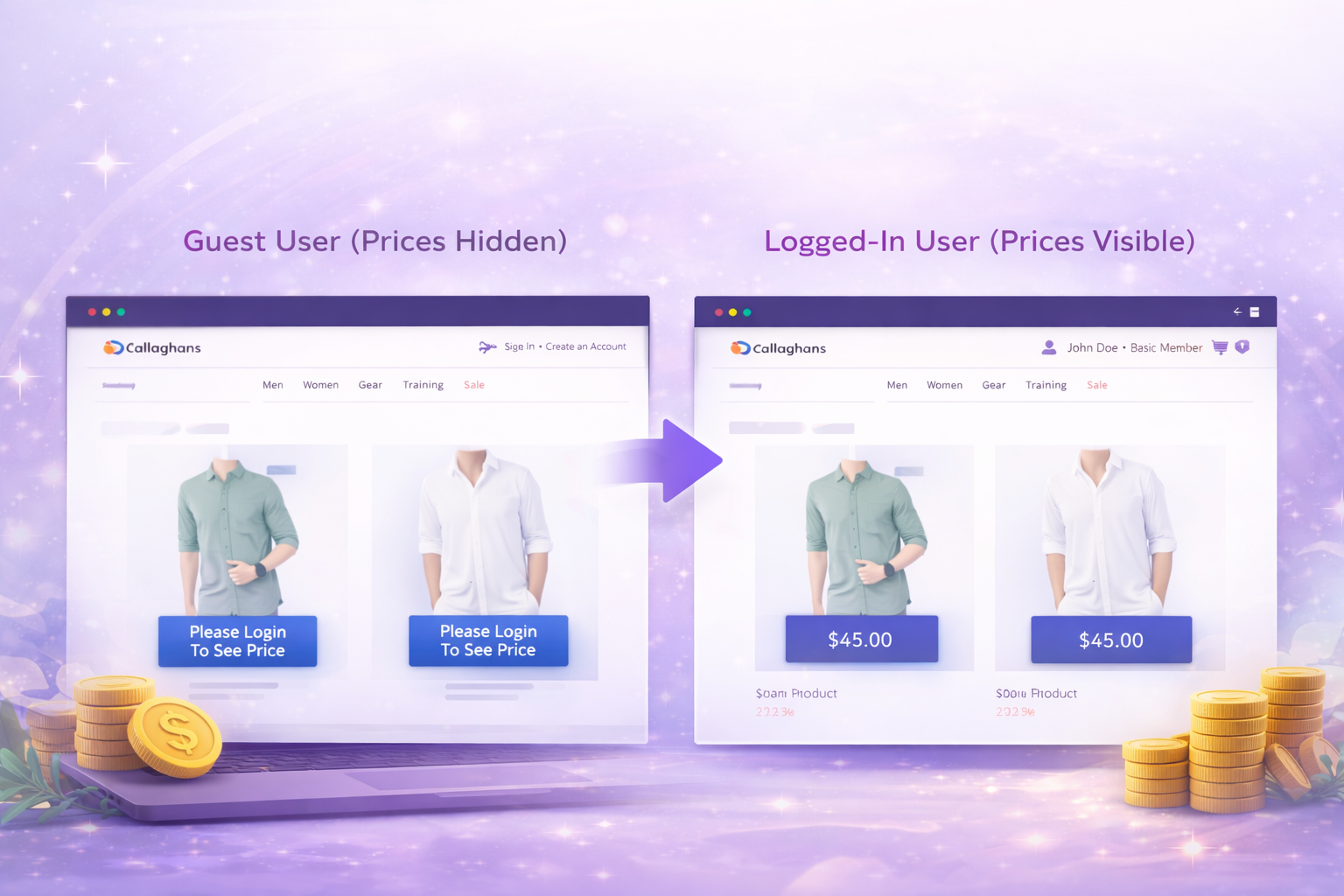
How It Works
- The Hikmadh Hide Price extension works by overriding Magento’s default price rendering system and conditionally displaying pricing based on the customer’s login status.
- When a user visits your store as a guest, the extension automatically replaces all product prices with a custom message like “Please Login To See Price.” This ensures that sensitive pricing information is not exposed to unauthorized users.
- Once the customer logs into their account, the extension detects the authenticated session and restores the original product pricing across all pages, including category listings, search results, and product detail pages.
- This process happens seamlessly in the background without affecting page speed or requiring any manual configuration. It integrates directly with Magento’s pricing system, ensuring compatibility with simple and configurable products.